
Access keys
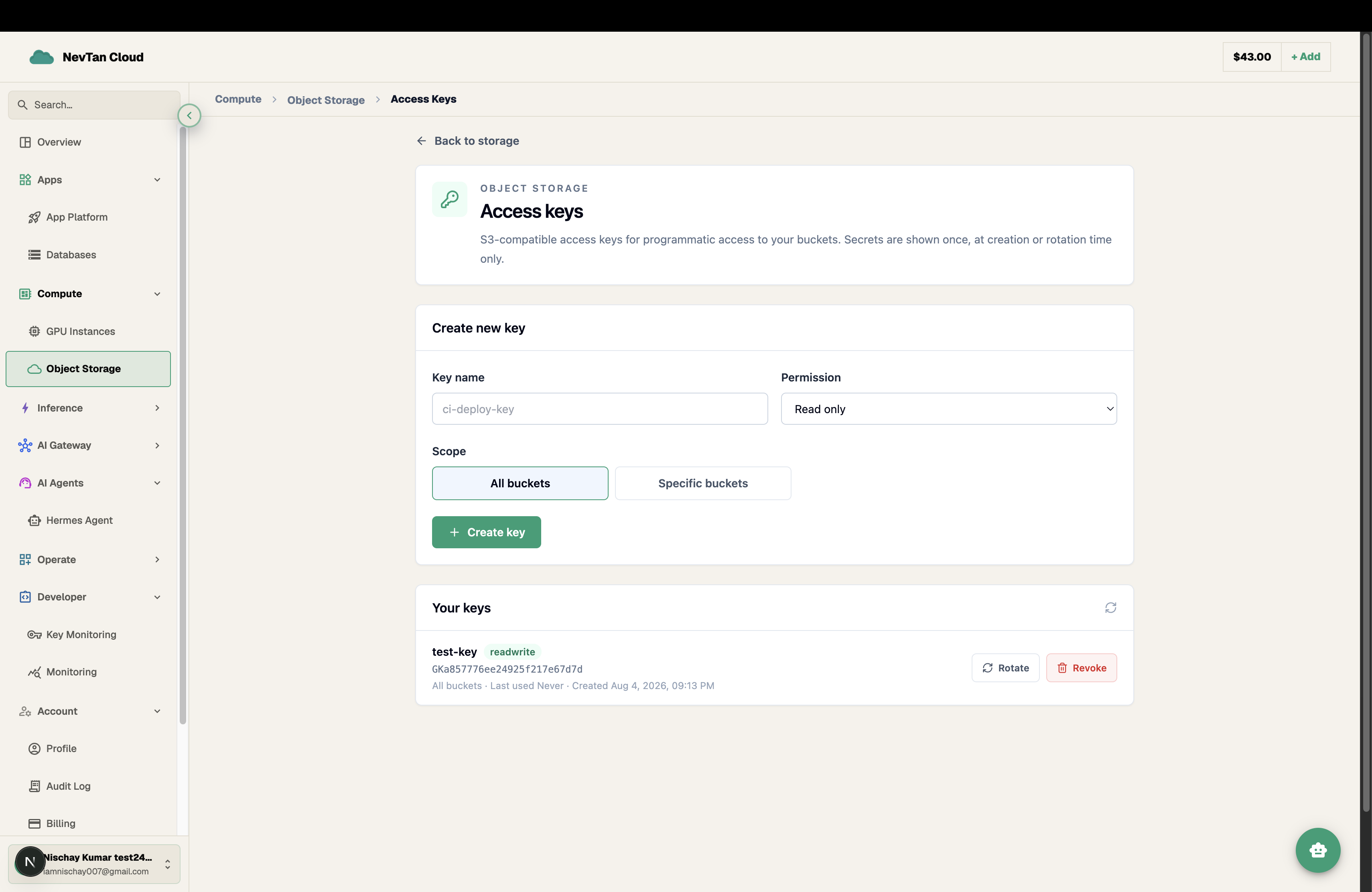
Create S3-compatible access keys scoped to one, several, or all of your buckets, for use with any SDK, CLI, or tool.
An access key is an S3-compatible access key ID + secret pair, used the same way you'd use any S3 provider's credentials — with the AWS CLI, an SDK, rclone, or your own app. Manage keys from Object Storage → Access keys.
Create a key
- 1Click New access keyGive it a name that says what it's for — e.g.
ci-deploy-key— so it's recognizable later. - 2Set a permissionChoose Read only, Read + write, or Owner (full control, including managing the bucket itself) — see the table below.
- 3Set a scopeScope the key to all of your buckets, or hand-pick specific ones. Narrower scope limits the blast radius if a key ever leaks.
- 4Copy the secret immediatelyThe secret is shown exactly once, right after creation. Copy both the access key ID and the secret before closing the dialog — there is no way to view the secret again afterward.
Important
The secret is shown once, at creation (or rotation) time only. If you lose it, rotate the key to get a new one — the old secret stops working the moment you do.
Permission levels
| Permission | Can do |
|---|---|
| Read only | List and download objects in the key's scoped buckets. |
| Read + write | List, download, upload, and delete objects. |
| Owner | Everything in Read + write, plus managing the bucket itself (visibility, tier, custom domain, deletion). |
Rotate or revoke a key
Use Rotate to issue a brand-new secret for an existing key without changing its name, scope, or permission — the old secret stops working the instant you rotate, so update wherever the key is used before (or right after) rotating. Use Revoke to permanently delete a key; anything still using it starts failing authentication immediately.
Note
You can have up to 20 active access keys on your account.
Base: https://api.cloud.nevtan.com/api/v1GET
/storage/keysList your access keys (never returns secrets)POST
/storage/keysCreate a key — response includes the secret oncePOST
/storage/keys/{id}/rotateReissue a key's secret; the old one stops working immediatelyDELETE
/storage/keys/{id}Revoke a keyScoping keys per use case
Prefer several narrowly-scoped keys over one all-access key shared everywhere — e.g. a read-only key for a CDN or app that only serves files, and a separate read+write key for the upload path or a backup job. If one leaks, only its scope is exposed.