
Storage tiers
A tier sets a fixed amount of space for a fixed monthly price — a hard cap, not a metered allowance.
Every bucket runs on a storage tier — a fixed amount of space for a flat monthly price. It's a hard cap: once a bucket reaches its tier's limit, further uploads are rejected until you either free up space by deleting objects, or move to a larger tier.
| Tier | Space | Price |
|---|---|---|
| 5 GB | 5 GB | $1.00/mo |
| 15 GB | 15 GB | $3.00/mo |
| 30 GB | 30 GB | $5.00/mo |
Note
Available tiers and their pricing are managed by the platform and may change or vary over time — the tier list shown when you create or upgrade a bucket always reflects what's currently offered.
Upgrading a bucket's tier
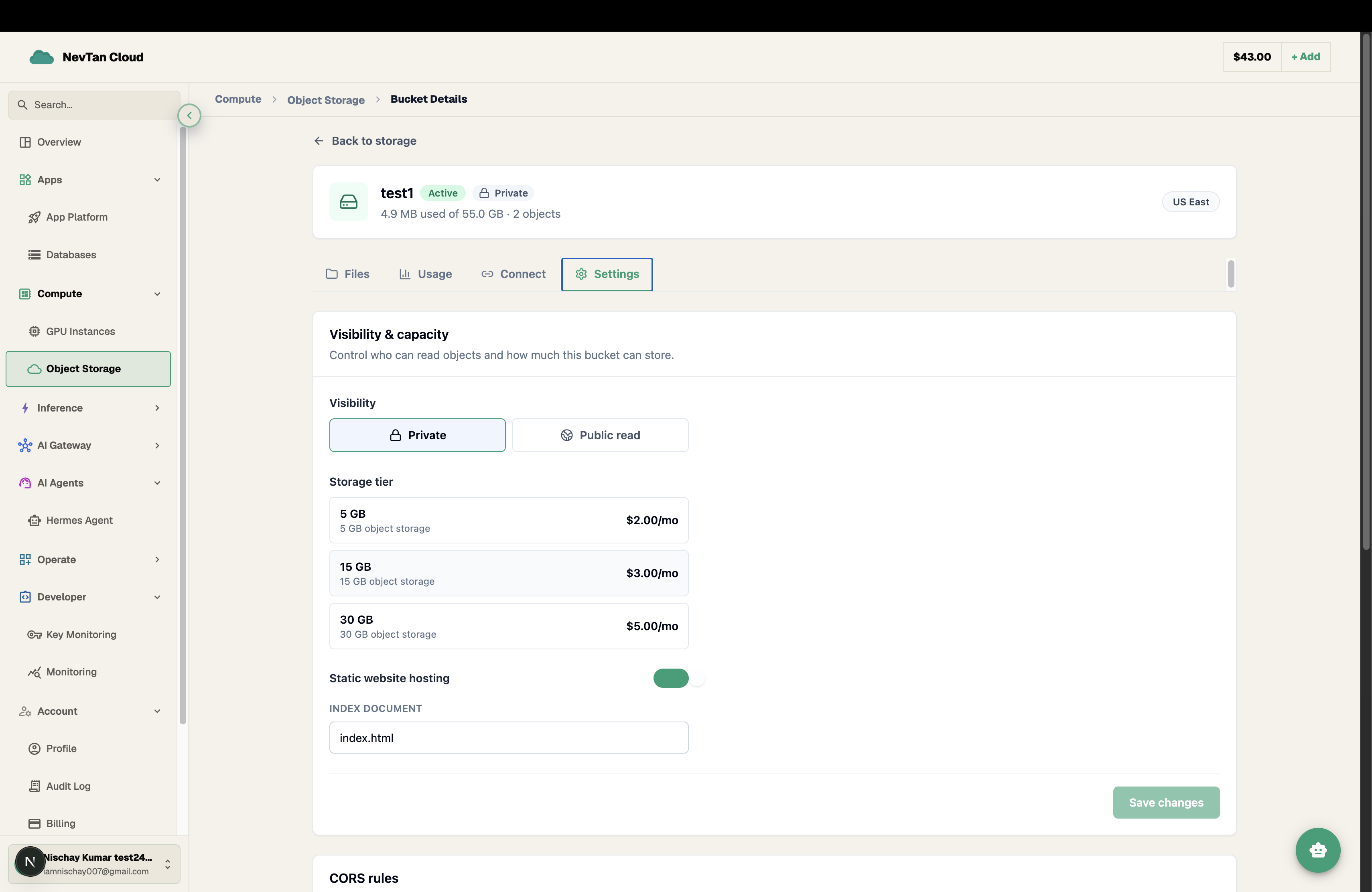
Open the bucket's Settings tab and pick a different tier card, then save. The new limit applies immediately — there's no waiting period, and the new price takes effect from your bucket's next billing cycle (see Pricing).
Important
You can't move to a tier smaller than what the bucket already stores — delete enough objects to fit under the new tier's limit first.
Choosing a tier
- Start with the smallest tier that comfortably fits your current data plus reasonable headroom — upgrading later takes effect immediately, so there's little cost to starting small.
- A bucket's price is locked in at whatever the tier costs when you create the bucket or switch to that tier — a later platform-wide price change to a tier only affects buckets created or switched to it afterward, not ones already running on it.