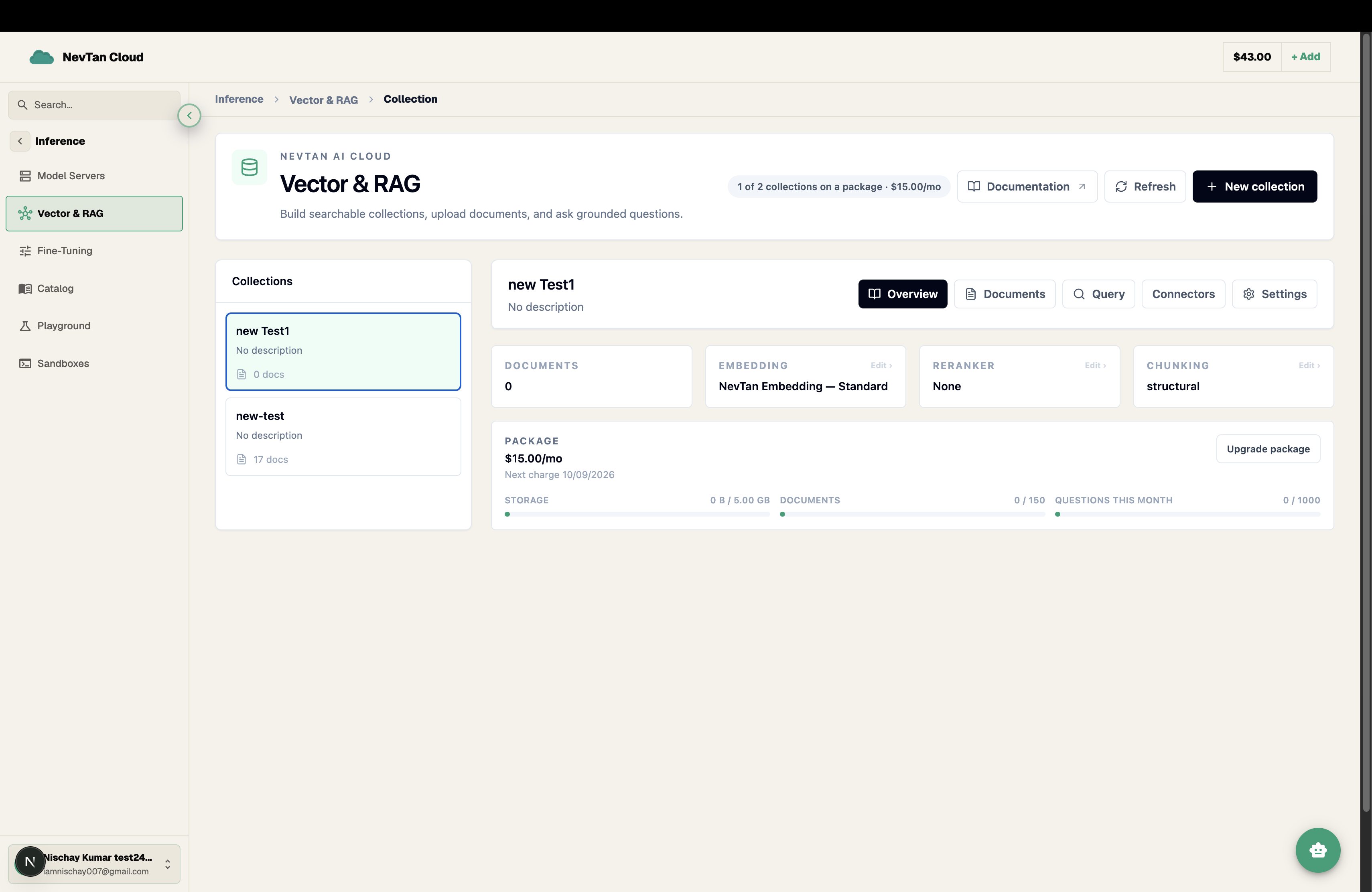
Collections
A collection is a namespace for your documents plus its embedding model and chunking configuration.
Every document lives inside a collection. A collection fixes the embedding model and chunking strategy used for everything you add to it, so choose these when you create it — they can't be changed once documents have been added. It also runs on a package, which sets its storage, document, and monthly-question limits — see Pricing for what each tier includes.
Create a collection
- 1Click New CollectionFrom the Vector RAG dashboard, click New Collection to open the creation form.
- 2Fill in the formGive the collection a name and, optionally, adjust the embedding model and chunking fields. Sensible defaults are filled in if you leave them as-is, so the minimal form is just a name and a package.
- 3Choose a packagePick a package card — each shows its storage, document, and monthly-question limits alongside its price, and is tagged Insufficient balance if your current credit balance can't cover it. Every package includes every feature (all search modes, all connectors, the reranker); a package only sets how much you can store and how many questions you can ask per month, not which capabilities you get.
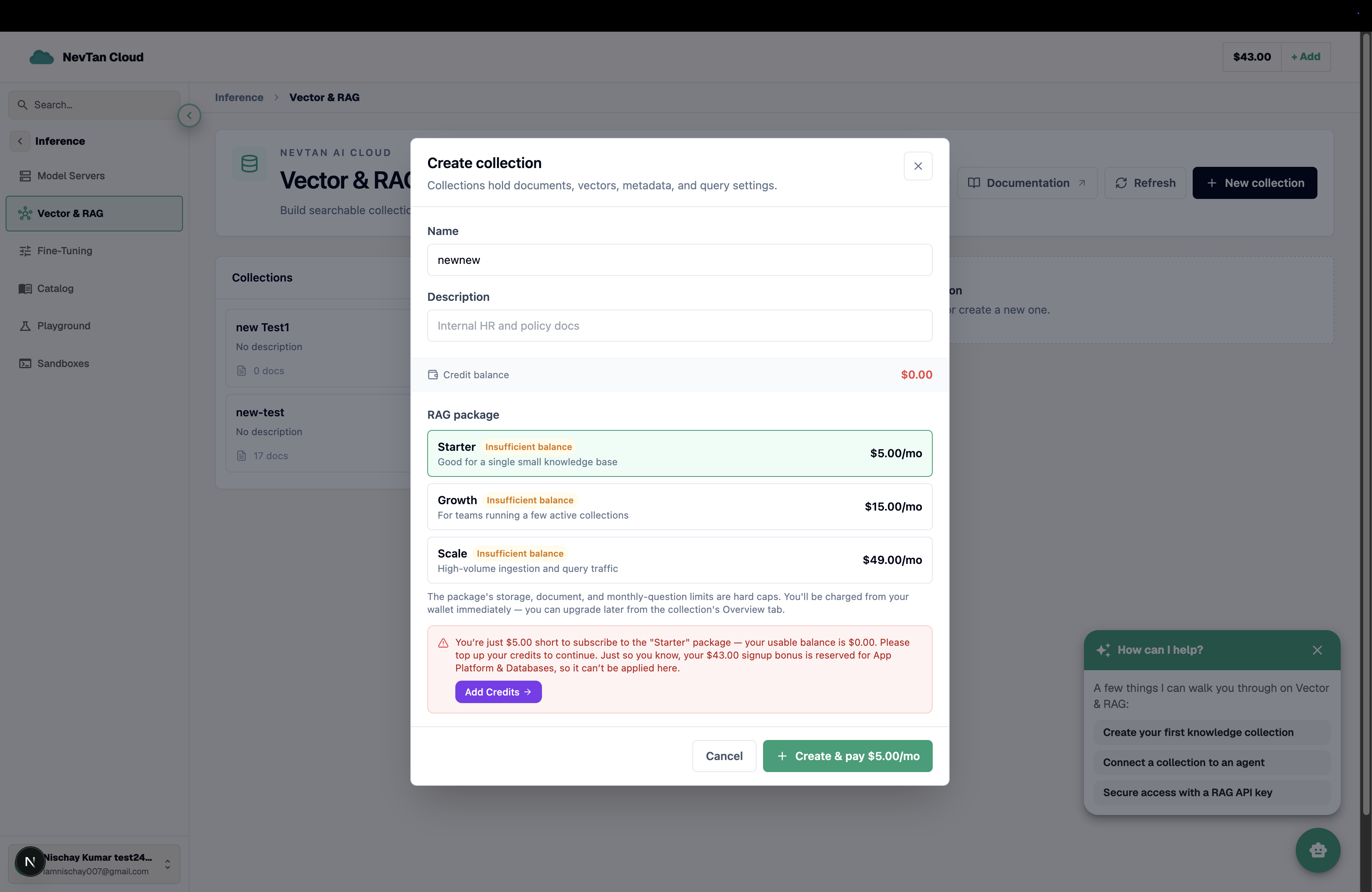
The full create form — name, description, and the package picker with live affordability tags, all in one place. - 4Create itClick Create. The package's price is charged from your credit balance right away, and the collection appears immediately, ready for documents.
| Parameter | Type | Description |
|---|---|---|
Namerequired | text | Human-readable name for the collection. |
Packagerequired | select | Sets the collection's storage, document, and monthly-question limits, and its monthly price. Charged immediately on creation; can be changed later from the collection's Overview tab. See Pricing. |
Embedding model | select | Model used to embed every chunk: text-embedding-3-small (recommended, 1536 dims), text-embedding-3-large (higher accuracy), or text-embedding-ada-002 (legacy). Fixed once documents are added. See Embeddings. |
Description | text | Optional note describing what the collection holds. |
Reranker model | select | Optional second pass applied after vector search: None returns matches as-is (fastest), or gpt-4o-mini re-ranks them for more accurate top results. Available on every package. |
Chunk strategy | select | How documents are split: structural (by headings/paragraphs), fixed (fixed token size), or semantic (by meaning). |
Max chunk tokens | number | Target maximum chunk size in tokens used when splitting documents. |
Overlap tokens | number | Number of tokens each chunk overlaps with the previous one. |
Choosing a chunk strategy, size, and overlap
The chunk strategy decides where a document is split: structural breaks on headings and paragraph boundaries (a good default for well-formatted docs), fixed cuts at a set token size regardless of structure (predictable, good for uniform text), and semantic splits by shifts in meaning. Whichever strategy you pick, Max chunk tokens and Overlap tokens bound the resulting chunk size.
- Smaller chunks (e.g. 200–400 tokens) return more precise, focused passages — good for short-answer lookups like API references or FAQs.
- Larger chunks (e.g. 800–1200 tokens) preserve more surrounding context — better for narrative content like guides or contracts where meaning spans several paragraphs.
- Overlap keeps a sentence that falls on a chunk boundary from being split with no context on either side. A modest overlap (10–20% of chunk size) is a reasonable default.
Reranking
Vector search alone ranks chunks by embedding similarity. Add a reranker to run a second, more precise pass over those candidates: set the reranker model to gpt-4o-mini and the top results are re-ordered for relevance before they are returned, at the cost of a little extra latency. Leave it at None to return vector-search matches as-is — faster, and often good enough for clean, well-chunked collections. The reranker is included in every package, with no separate charge for using it.
Choosing an embedding model
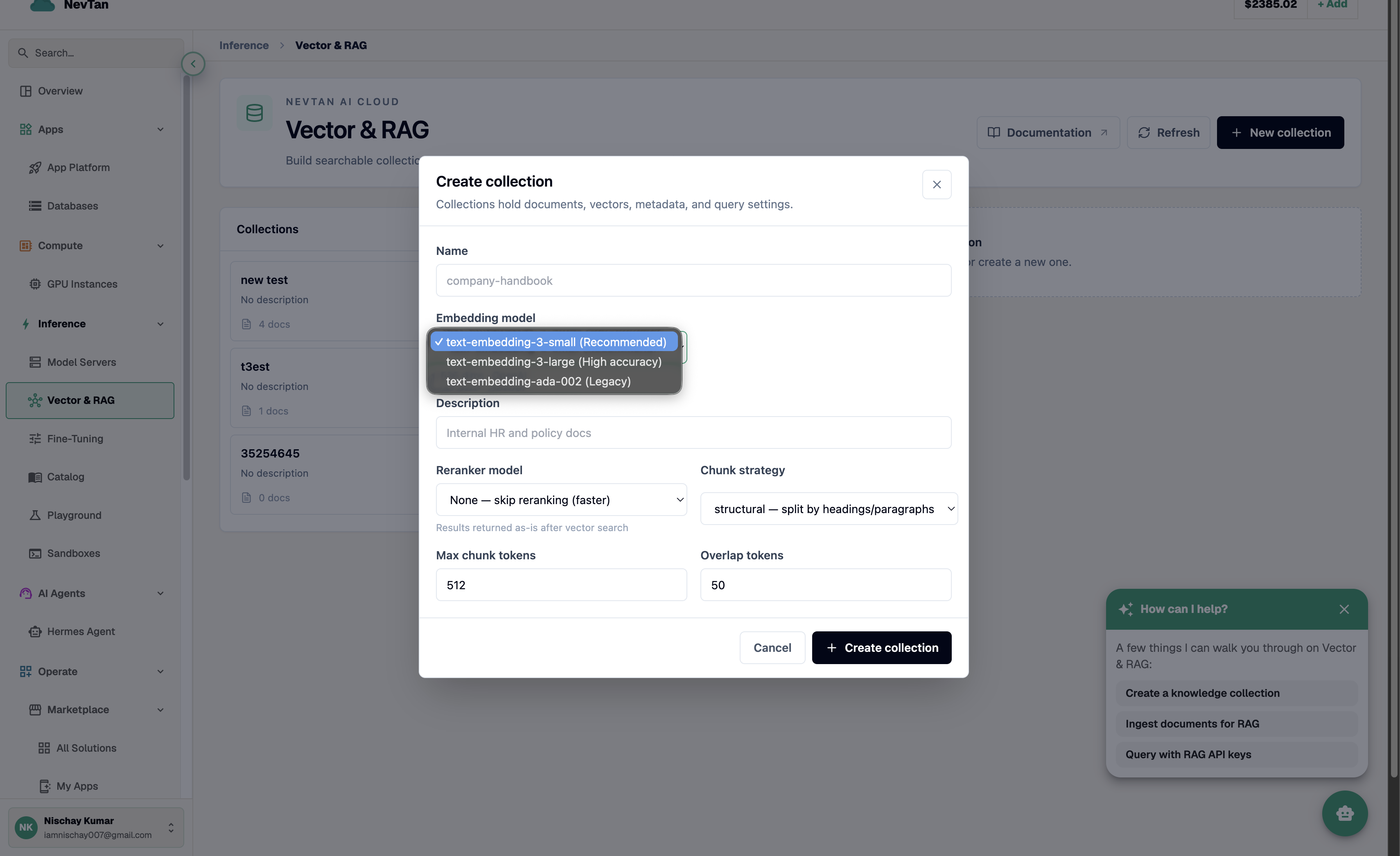
The embedding model determines how well the collection captures meaning. A more capable embedding model tends to place related concepts closer together — worded differently, but still recognisably about the same thing — which improves retrieval quality on nuanced questions. It doesn't change what your package costs; every model is included at every tier.
- A general-purpose default embedding model is a reasonable starting point for most collections, and is what's pre-selected if you don't change it.
- For a large collection with a lot of ingestion and query volume, make sure the package's storage, document, and monthly-question limits comfortably cover what you plan to do — see Pricing — rather than the embedding model, which is the same price at every tier.
- Because the embedding model is fixed for the life of a collection, it's worth testing retrieval quality with the search tool on a small sample of documents before loading in everything.
Manage collections
Rename a collection at any time from its settings screen. The embedding model and chunking are fixed once documents have been added, since changing them would make existing embeddings incomparable to new ones — to change either, create a new collection and re-add your documents. The package is different: change it any time from the Overview tab if you need more room or want to scale down — see Pricing.